Creator: Enrico Tartarotti · Published: 2026-10-02 · Length: 17:51 · Watch on YouTube · Series: Behind the Product
Every chat app you use looks exactly the same… But every tiny difference between them was designed to change how you talk. — video description
1) Detailed outline
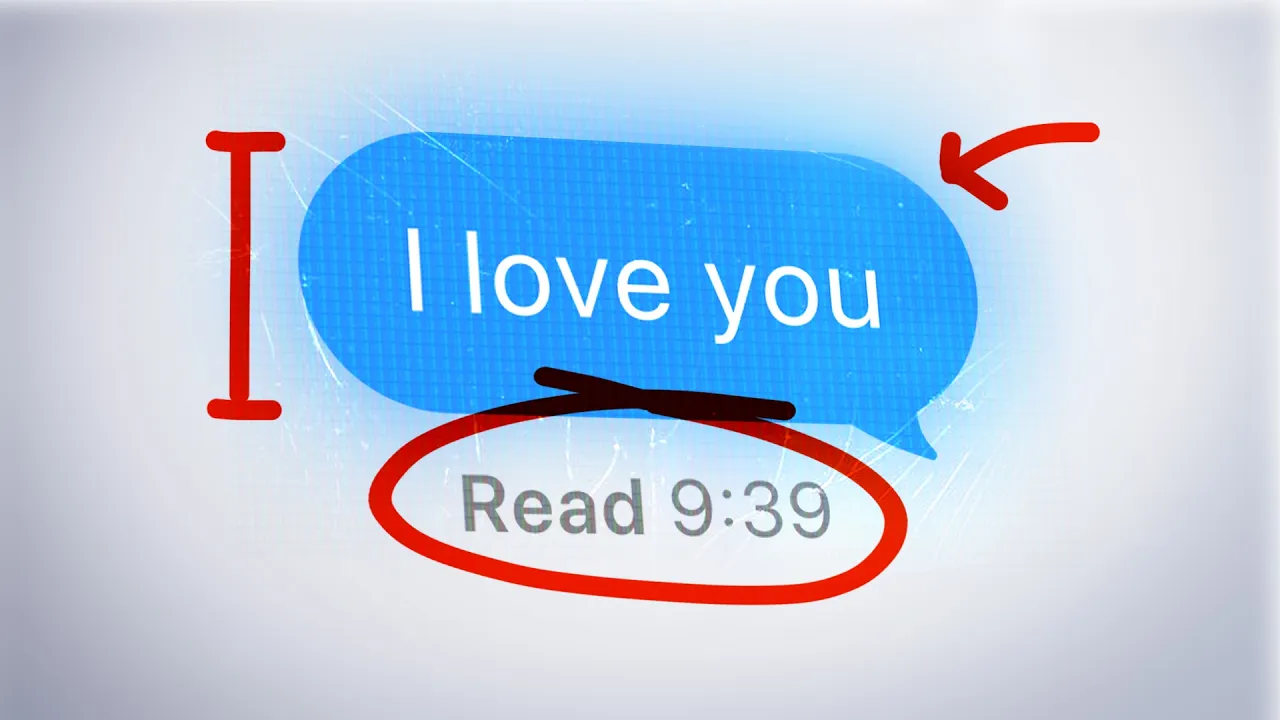
[0:00] Cold open: the two blue ticks
- WhatsApp's two blue ticks are a read receipt. Most chat apps have an equivalent.
- When WhatsApp shipped them in 2014, they were on by default for everyone. Users "went crazy": suddenly you could see exactly who was ignoring you, when, and for how long. The backlash was so strong that 10 days later WhatsApp added an option to hide read receipts.
- [0:32] The clever part is how the switch works.
- On iMessage you can hide your own read receipts and still see other people's, which is an "unfair advantage."
- WhatsApp made hiding reciprocal: turn yours off and you can't see anyone else's. Otherwise everyone would turn theirs off with no cost and the feature would die.
- [1:03] WeChat has no read receipts at all, by design. An internal WeChat lecture is quoted: if your boss messages you, you read it, and you don't reply, it's trouble.
- Thesis: one tiny tick and one settings toggle shape the behavior (and anxiety) of billions of users, and can be what makes people choose one app over another.
[1:33] Why "identical" chat apps aren't identical
- On the surface every chat app is bubbles, a text box, audio and images. But every decision (bubble position, what Enter does, how delete works) is designed to steer behavior. That's why one chat app fails and another becomes a country's default.
- The team spent a month researching and even got on a call with the inventor of the chat UI everyone uses (teaser clip: "At the time I thought that was a good idea, and then we implemented it.").
- Intro to the show: Behind the Product. The story has three layers, and only the first is visible.
Layer 1: Visible UI decisions that shape what you write
[2:07] Facebook Messenger and the "K" problem
- The Messenger team noticed huge numbers of people sending "K" to confirm things (back in 2014; TechCrunch covered it). "K" has since come to read as rude.
- The fix: when the text box is empty, the send button becomes a thumbs-up, a one-tap acknowledgment. Messenger also let you use it to react to messages.
- Reactions are now in almost every chat app, and they exist because pure-text communication got messy and failed.
[2:55] The Enter key: email vs. chat
- In WhatsApp, iMessage and most mainstream chat apps on desktop, Enter sends and Shift+Enter adds a new line. In email, Enter adds a new line.
- That tiny difference is why emails are long, multi-paragraph and formal (with salutations) while chat messages are short bursts. Multi-line chat writing is designed to be tedious: hit Enter by mistake and the half-written message goes out.
[3:44] Slack: stuck between chat and email
- Slack ran A/B tests. Unsurprisingly, Enter-to-send won as the default, but Slack added a setting to choose (Enrico prefers Shift+Enter).
- The always-visible formatting toolbar signals that this is more formal communication than texting.
- Inside a code block the behavior flips: Enter makes a new line, because that's how code editing works everywhere. Consistency with coding conventions beats immediacy.
- [4:48] Why it matters: chat apps are really about the messages people send, and those can be influenced.
- Put Slack's formatting bar in iMessage and it would "fail instantly." iMessage can do bold, italic, underline and strikethrough, but showing them permanently would push people toward structured, formal writing.
- A two-line-tall text box nudges people toward longer, multi-paragraph messages. That's perfect for Slack, which wants important, well-formatted messages while staying closer to chat than email.
- These subtleties separate a billion-dollar product (Slack) from thousands of failed chat apps.
Layer 2: What the chat is actually for
[5:51] Instagram DMs are a sharing machine, not a chat
- Instagram DMs have everything iMessage has, yet people mostly use them to send Reels back and forth.
- The paper-plane share icon under every post and Reel opens a grid of friends' faces: tap one, two, three, send. Inside a chat, every Reel has a permanent share button.
- DMs were designed as a sharing engine that feeds the ranking algorithm. Adam Mosseri (head of Instagram): "One of the most important signals we use in ranking is sends per reach."
- That's why Instagram moved Messages from the top-right corner to the main nav bar, which angered users. Marques Brownlee clip: "You used to just swipe over on Instagram and that'll be your inbox. Now you swipe over, it's just Reels."
[6:54] WhatsApp forwarding: the opposite goal
- WhatsApp also has Forward, but you can't forward to 20 people: the limit is 5 chats at a time. Messages forwarded many times get a "forwarded many times" badge, and there's a cap on how often a single message can be forwarded.
- The reason: WhatsApp optimizes for everyday personal messaging. Mass sharing there means spam, scams and chain messages ("that boomers send to each other").
[7:26] Slack vs. Discord: the same features, opposite philosophies
- Both have channels, group messages, threads, DMs, sidebar organization and huddles/voice. Yet teenagers coordinating Minecraft redstone builds won't use Slack, and big companies almost never use Discord for work.
- Replies:
- On Discord, a reply lands inline in the main chat with a small quote. It's one messy stream, and the mess is the point. Threads exist but must be created on purpose and auto-close (archive) after ~3 days of inactivity.
- On Slack, a reply goes into a thread off the main screen, with an "Also send to channel" checkbox, so every reply is a decision. The channel stays clean for tomorrow's readers. Slack threads never close and stay searchable forever.
- [8:28] Presence:
- Slack has two states, Active / Away, and decides for you (about 10 minutes without input → Away). Showing what a coworker is doing would feel like surveillance, so presence is minimal and activity-based, which is what matters when you sell to companies.
- Discord has four states including Invisible (appear offline), and by default shows friends what game you're playing or what you're listening to on Spotify.
- Discord's green dot tells your friends what you're playing. Slack's green dot tells your boss who's there.
- Summary: Slack is built so messages can be found later, a company vault that AI agents can read. Discord is built for the present moment, like walking into a room.
[9:29] Sponsor segment: Granola
- Enrico's team is building an AI "harness" (skills plus instructions) for its long, multi-person research process, which mostly happens in hours of weekly calls with producers.
- They record calls with Granola (AI meeting notes that enhance your own notes with meeting context). Through the Granola MCP, their agent (Claude) reads all the calls to learn the team's process. That became the foundation for custom research, fact-checking, drafting and ideation skills.
- Granola MCP plugs into Claude, Codex or any agent ("What did we decide about the intro last week?"). The description link gives new users a free first month.
Layer 3: Why every chat looks the same
[11:04] The universal layout and its inventor
- WhatsApp, iMessage, Messenger and Telegram all share one layout: others' bubbles on the left, yours on the right, a composer at the bottom, everything scrolling up.
- Jens Alfke is "the inventor of the chat UI," and the team interviewed him on a call.
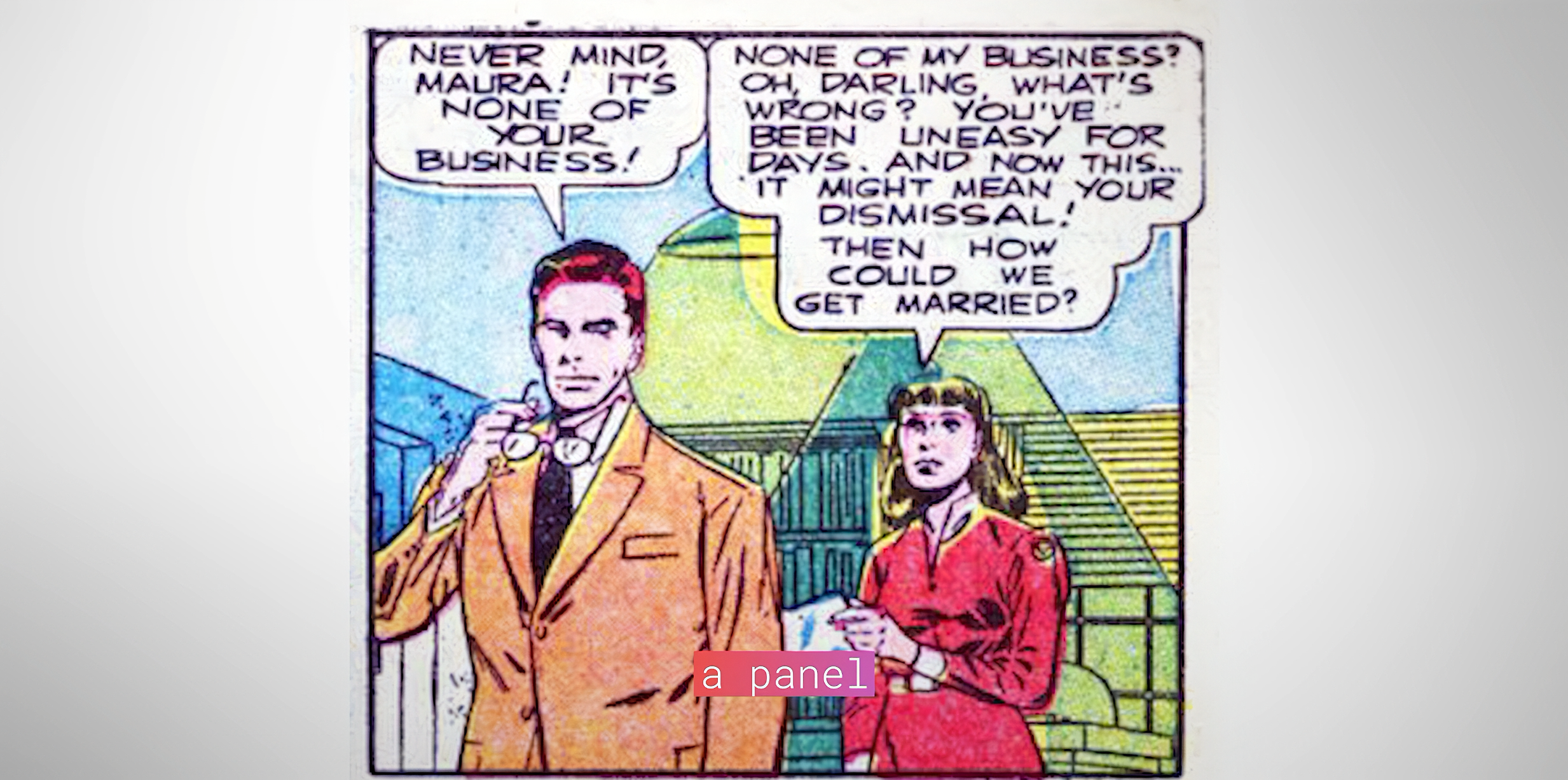
- Comic-book origins (Alfke): two people facing each other in a panel have balloons pointing left and right. Before that, the state of the art was terminal-based IRC clients.
- Alfke was into MUDs (multi-user dungeons), a cross between text adventures like Zork and RPGs. Around '97 he started thinking about how to handle chats with many people.
- [12:06] Put 10 people in a terminal and it becomes a garbled mess, like today's Twitch chat (minimal over the stream, but hard to follow).
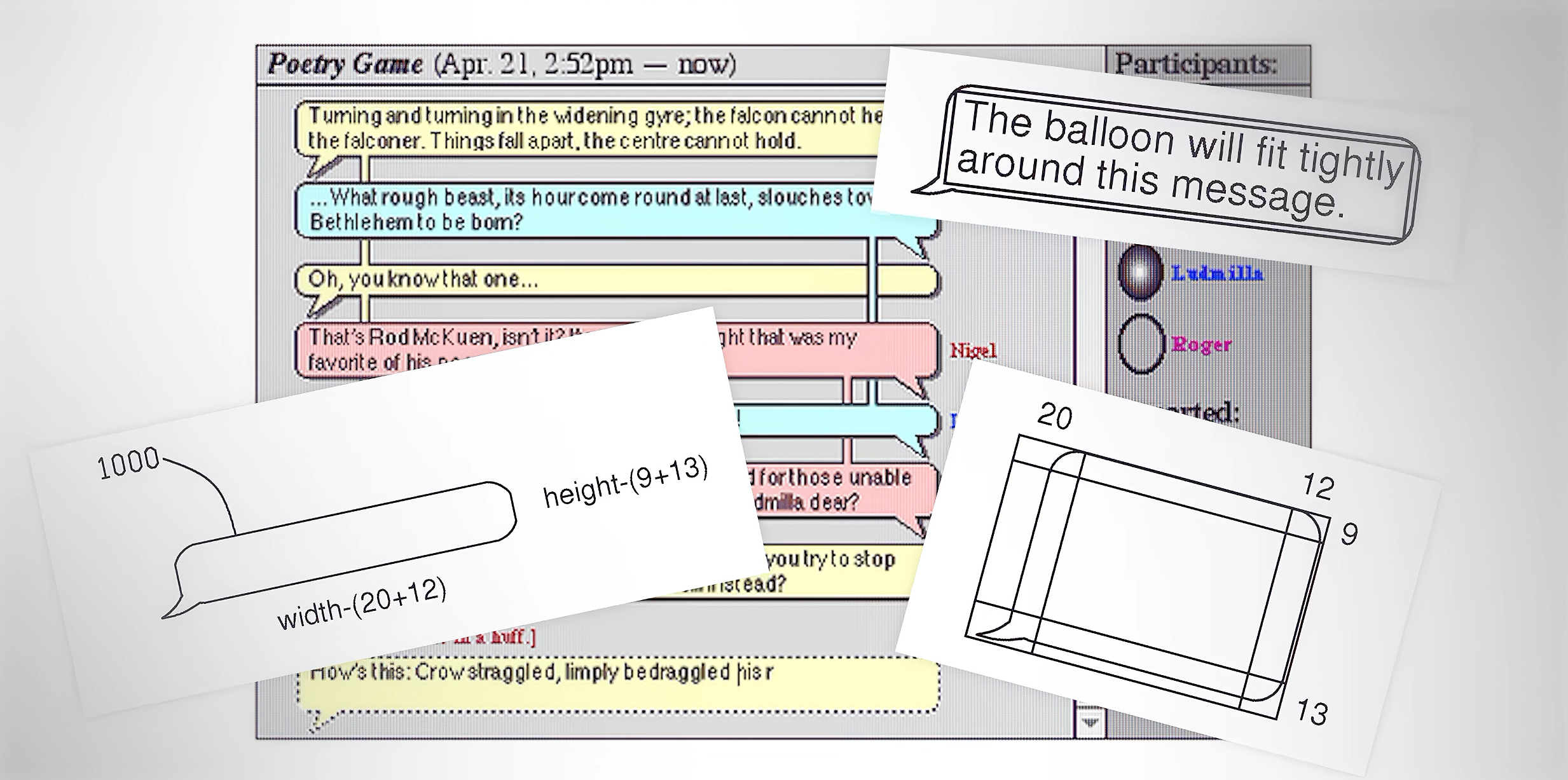
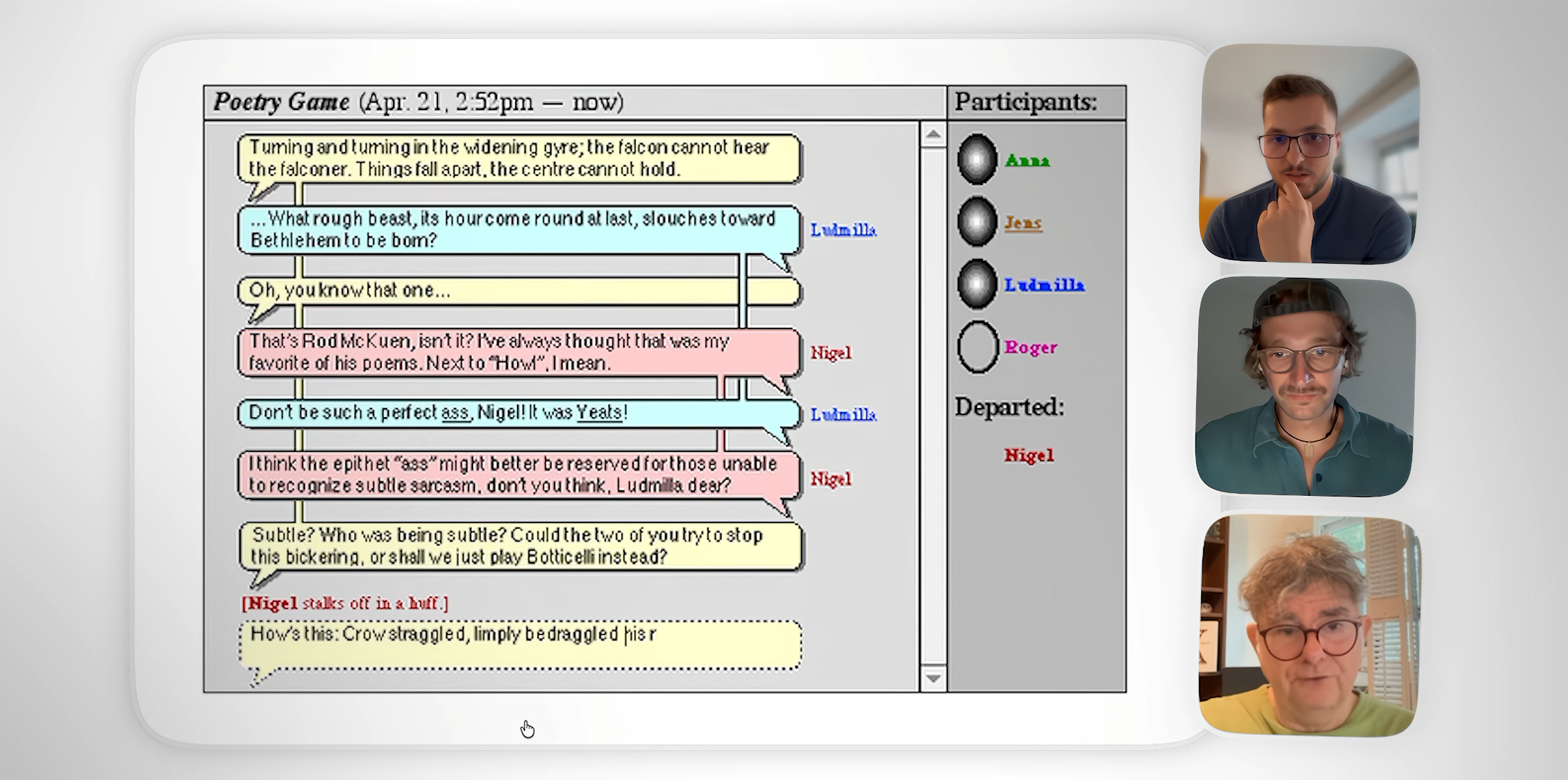
- At Apple, while building iChat (the video says 1996; Alfke's own sketch is dated 1997 and iChat shipped in 2002), Alfke, who spent his evenings in chat rooms and message boards, struggled to follow many-way chats and drew a sketch. On screen: his blog post about rediscovering the original 1997 ClarisWorks sketch of a chat UI based on speech balloons. It notes the balloons were later "Aqua-fied" by designer Steve Lemay.
- Alfke: the hardest technical part was drawing bubbles behind the text. Comics were the inspiration, and the direction of the tail shows who's talking ("basically a round rect with a triangle sticking out").
- His idea: keep vertical scrolling, align your messages to the right, wrap each message in a comic balloon to break messages apart visually, and use color to tell speakers apart.
- Nearly all modern chat, including AI chatbots and agents, comes from this.
- [13:11] Earlier "comic chat" was too literal: some apps had comic artists draw panels with blank balloons that didn't correspond to the people at all ("a visual gimmick," a novelty). Alfke's blog notes his design predates Microsoft Comic Chat.
[13:44] The live-typing experiment that failed and became the typing indicator
- iChat experimented with showing a real-time preview of everything you were typing, not just an indicator.
- Alfke: "At the time I thought that was a good idea. And then we implemented it… people didn't like it. It gives you this feeling like you're being watched." Everyone saw every typo, and you could type something inflammatory and backspace over it.
- It shipped as a preference that most users turned off. What survives is the typing indicator (the "…" thought bubble). The video says Apple still holds a patent on it.
[14:49] From desktop to the phone, and everywhere
- Before 2007, SMS on phones was mostly a pile of last-received messages, not a conversation.
- The first iPhone's SMS app borrowed iChat's balloons. Two years later WhatsApp launched with the same thing, followed by Telegram, Messenger, WeChat and Kakao(Talk).
- Alfke on seeing it become universal: it took him a while to realize everyone was doing it. "It's nice… I've always wanted to be able to change the world in some way."
[15:19] Jakob's Law and convergence
- Jakob's Law: users spend most of their time on other products, so they prefer yours to work like the ones they already know.
- There's probably a better way to represent chat, but habit makes it nearly impossible to change without something truly groundbreaking. Categories converge: phones became black rectangles, and all streaming apps look the same.
[15:49] Morphing the pattern: Figma and Uber
- Figma cursor chat: the obvious move would be a chat sidebar. Instead, since the cursor represents the person, you type and the text appears next to your cursor. There's no send, no message list and no history. It's proximity-based and ephemeral: only people near your cursor see it, a digital version of speaking to the person next to you.
- Uber rider–driver chat: drivers can't text while driving, so rider messages are read aloud and the driver can reply with one tap, a thumbs-up. Delivered/read status is kept, because riders mostly wanted to know: "Did the driver read my message?"
[16:52] Outro
- Teaser: the best products are secretly built like games (links to Enrico's video The Weird Way Tech Steals From Games). It closes with the signature "…the next episode of Behind the Product."
Key takeaways
- Settings design changes behavior. WhatsApp's reciprocal read-receipt toggle kept the feature alive.
- Input mechanics shape output. The Enter key decides whether you get emails or texts. Toolbars and box height signal formality.
- Purpose shapes the chat. Instagram optimizes sharing (sends per reach), while WhatsApp throttles it (forward limits).
- Slack is for the record; Discord is for the moment. Look at threads, auto-archive and presence.
- The chat bubble is a 1997 Apple sketch inspired by comics and MUDs. Live typing failed and left behind the typing indicator.
- Jakob's Law explains convergence. Innovation happens by morphing the pattern (Figma cursor chat, Uber read-aloud).
2) Things mentioned
Products and companies
| Item | Role in the video |
|---|---|
| WhatsApp (Meta) | Blue-tick read receipts (2014), reciprocal hide toggle, forward limit of 5 chats, "forwarded many times" label and cap. |
| iMessage / Messages (Apple) | Non-reciprocal read receipts, formatting options (bold/italic/underline/strikethrough), the bubble layout descended from iChat. |
| WeChat (Tencent) | No read receipts by design (internal lecture). |
| Facebook Messenger (Meta) | Thumbs-up in place of send when the box is empty, which fixed the "K" problem. Early reactions. |
| TechCrunch | Covered the "K" phenomenon and Messenger's thumbs-up. |
| Slack (Salesforce) | Enter-to-send A/B test and setting, persistent formatting toolbar, code-block Enter flip, threads with "Also send to channel," Active/Away auto-presence, searchable archive for agents. |
| Discord | Inline replies, opt-in threads that auto-archive, four presence states including Invisible, game and Spotify activity status. |
| Spotify | Listening activity shown on Discord. |
| Instagram (Meta) | DMs as a Reels-sharing engine, paper-plane share sheet, "sends per reach" ranking signal, Messages moved to the nav bar. |
| Telegram, KakaoTalk | Adopted the same bubble layout. |
| Twitch | Chat as a garbled multi-user stream. |
| IRC, MUDs, Zork | Pre-bubble chat and text-adventure lineage. |
| iChat (Apple, Mac OS X 10.2 Jaguar, 2002) | First mainstream speech-balloon chat UI. Tried a live-typing preview, which became the typing indicator. |
| ClarisWorks | Tool Alfke used for the 1997 sketch. |
| Microsoft Comic Chat | Earlier literal comic-panel chat ("visual gimmick"). |
| AIM, ICQ | IM clients of the era, referenced in Alfke's sketch notes. |
| iPhone SMS app (2007) | Brought iChat bubbles to phones. |
| Google Docs | Older in-document chat panel shown as B-roll. |
| Figma | Cursor chat: proximity-based, ephemeral, attached to the cursor. |
| Uber | Rider messages read aloud to drivers, thumbs-up one-tap reply, read status. |
| Granola | Sponsor. AI meeting notes plus Granola MCP for Claude, Codex and other agents. |
| Claude (Anthropic), Codex (OpenAI) | Agents that read Granola calls. Slack's archive as agent-readable memory. |
| Flask (flask.do) | Enrico's video collaboration tool (in the description, and on his T-shirt in the sponsor segment). |
| Minecraft | Redstone-build coordination as the Discord use case. |
Design concepts and terms
- Read receipts and reciprocal privacy settings (game theory of opt-outs).
- Acknowledgment shortcuts: thumbs-up send button, reactions.
- Enter vs. Shift+Enter send semantics and context-sensitive key behavior (code blocks).
- Affordances that signal formality: persistent formatting toolbar, multi-line composer height.
- Share sheet / friend-face picker, the "sends per reach" ranking signal, navigation-bar placement as a priority signal.
- Forwarding limits and "forwarded many times" labels as anti-misinformation and anti-spam friction.
- Threads vs. inline replies, "Also send to channel", thread auto-archive, searchability as a company record.
- Presence design: automatic Active/Away vs. user-chosen statuses, Invisible mode, rich presence (game/music activity), presence as surveillance.
- Speech-balloon chat UI: left/right alignment, tails showing the speaker, per-speaker color.
- Typing indicator (descended from the live-typing preview), the reported Apple patent.
- Jakob's Law (Jakob Nielsen) and design convergence.
- Ephemeral, proximity-based chat (Figma cursor chat), voice-first, one-tap replies for drivers (Uber).
- MCP (Model Context Protocol), AI agent "harness" of skills and instructions.
3) Biographies
Enrico Tartarotti (host, co-writer)
Italian-born tech creator and designer behind the YouTube channel Enrico Tartarotti (about 255K subscribers). His series Behind the Product goes behind the scenes of everyday tech products through designed video essays on UX and product design. He builds Flask (flask.do), a video collaboration and review tool, and runs Rakugo Media for sponsorships. Credits for this video: written by Enrico Tartarotti and Andrej Andonov, produced by Enrico and Bartek Malinowski, edited by Seequence. Find him on X as @EnriTarta and on Instagram as @enritarta.
Jens Alfke (interviewee)
Longtime software engineer who spent many years at Apple, where he worked on iChat and is credited with its speech-balloon chat interface. He sketched it in ClarisWorks in April 1997, inspired by comics, MUDs and IRC. He also worked on other Mac OS X networking and web features, including Bonjour/Rendezvous-era collaboration tech and Safari RSS. He later worked on sync and database software (Couchbase Mobile), and he blogs about software history. In the video he explains the comic-strip inspiration, the technical challenge of drawing bubbles behind text, and the failed live-typing preview that became the typing indicator.
People referenced
- Adam Mosseri: Head of Instagram (since 2018), quoted on "sends per reach" as one of Instagram's most important ranking signals.
- Marques Brownlee (MKBHD): tech YouTuber, shown complaining that swiping over in Instagram now opens Reels instead of the inbox.
- Steve Lemay: Apple human-interface designer credited in Alfke's blog post with "Aqua-fying" the iChat speech balloons.
- Jakob Nielsen: usability pioneer and co-founder of the Nielsen Norman Group, namesake of Jakob's Law ("users spend most of their time on other sites").
- Andrej Andonov: co-writer. Bartek Malinowski: co-producer. Seequence: editing studio.
- The WeChat internal lecture speaker isn't named in the captions. (WeChat's creator Allen Zhang is known for annual internal and public talks on WeChat's design philosophy, including the decision not to add read receipts. This attribution is context.)